The brief
A professional headshot usually means a photographer, a studio and a booking. JobShot replaces all three with a selfie: upload a photo, pick a style, and get a polished portrait back. The audience is wide on purpose: job seekers, people updating a profile picture, freelancers building a personal brand, and teams that want consistent company photos.
Templates, not prompts
The first decision shaped everything else: JobShot has no text prompt. Most people cannot describe a good headshot in words, but they recognise one when they see it. So the app offers more than 100 professional styles, outfits and hairstyles, and each one is a template the generation follows. The template carries the lighting, the framing and the wardrobe; the person only brings their face.
Templates also make results predictable, which matters in an app where every result costs a credit. A prompt box invites experiments that disappoint; a gallery of finished looks sets the expectation before the person pays anything.
One photo, several jobs
Headshots are the core, but the same uploaded photo powers a set of related tools, each its own flow with its own states:
- Headshots in 100+ professional styles.
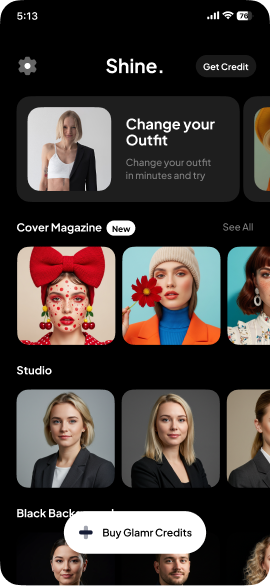
- Outfit try-on: suits, blazers and formal wear, without changing clothes.
- Hairstyle changer, to try a look before an interview or a photo.
- Photo enhancer, to sharpen low-resolution portraits.
- Background remover, for a clean white, gradient or custom background.
- Before and after, a slider to compare the original with the result, added in version 1.3.7 in September 2026.
Two AI providers behind one interface
According to JobShot’s privacy policy, headshot generation, the face-slim feature and the onboarding preview run on Google’s Gemini API, while hairstyle changes and outfit try-on run on Replicate. Both process in the United States.
To the person using the app, none of that is visible. Every tool shares the same picker, the same progress screen and the same results view. Keeping the interface independent of the provider is what lets two services sit behind one experience, and lets each tool use the model that does its job best.
Consent before the first upload
A headshot app handles the most personal data there is: faces. JobShot treats that as a design problem, not a legal footnote.
- Consent comes first. Before a photo goes to an AI service for the first time, the app shows a photo privacy dialog. Tapping Cancel means no photo data leaves the device. That is what guideline 5.1.2(i) asks of apps that share personal data with third-party AI.
- Tracking is a separate question. The App Tracking Transparency prompt is kept apart from the photo consent, so declining tracking never blocks the main feature.
- Only the photo is sent. No name, email, location or other device data goes with a generation request.
- Face data is kept for zero seconds. It exists only in memory during the request and is discarded as soon as the image comes back. Original photos are not stored on a server.
- Results live on the phone. Generated images, credits and preferences are stored on the device, in encrypted storage using the Keychain and AES-256.
The privacy policy answers Apple’s face-data questions one by one: what is collected, why, for how long, and with whom it is shared. Writing those answers early is easier than writing them after a reviewer asks.
Credits that feel fair
JobShot runs on credits, bought through Apple’s in-app purchase, so people pay for what they use. The detail that matters most is what happens when something goes wrong: if a credit is used but no result arrives, for example because no face was detected, the app refunds the credit automatically. Nobody should pay for a failure, and nobody should have to email support to get a credit back.
Purchases are managed with RevenueCat, and push notifications tell people when a generation is finished or their credits change, so they can leave the app while it works.
Twenty languages from early on
Headshots are needed everywhere people apply for jobs, so JobShot is available in 20 languages, including Arabic, Hindi, Japanese, Korean, Thai, Turkish and Vietnamese. A template-based app localises well: the styles are visual, and only the interface text has to change. More on that in localizing an App Store listing.
What we would bring to a project like it
- Start from a template, not a prompt, whenever the person cannot easily describe the result they want.
- Put consent where the data leaves the device, in the flow, not in the settings.
- Make failure free. Refund credits automatically when a generation fails.
- Keep results on the phone. Less to secure on a server, and nothing to delete later.
- Keep the provider behind the interface, so each feature can use the model that suits it.
Related: AI app development · Photo app development · What an AI app costs